 BATCONTROL
Open source · runs locally · MIT license
Charge when it's cheap.
Use it when it's expensive.
batcontrol is a price-aware controller for PV home batteries. It combines your dynamic electricity tariff, a solar forecast and your consumption profile – and every three minutes decides whether your battery should charge from the grid, hold its energy, or supply the house.
The idea
Prices change every 15 minutes. Your battery doesn't notice.
With a dynamic tariff, a kilowatt-hour in the evening often costs 10–20 cents more than the same kilowatt-hour at night. A normal battery only reacts to solar surplus – in winter it is empty exactly when power is most expensive.
Empty at the wrong time
The battery discharges during cheap hours just as readily as during expensive ones. In the evening peak there is nothing left, and the house runs on the most expensive grid power of the day.
Cheap and expensive hours, every day
Tibber, aWATTar, Octopus & co. pass on the exchange price. Night and midday are usually cheap, morning and evening expensive – and in autumn and winter there is not enough sun to fill the battery.
Planned 24–48 hours ahead
batcontrol charges only the energy missing for the expensive hours, in the cheapest slots, and holds it until it is worth the most – but only if the price spread covers charging losses.
How it works
Forecast. Decide. Control. Every 3 minutes.
Forecast
Electricity prices for the next 24–48 hours from your tariff provider, solar production from a weather-based forecast, and your household consumption from a load profile or your Home Assistant history.
Decide
How much energy will the house need during more expensive hours that the sun won't cover? Is that energy already in the battery? If not – is there a cheaper slot ahead, and is the spread large enough?
Control
batcontrol sets the inverter mode via Fronius Solar API, Modbus TCP or MQTT. Three minutes later it reads the real state of charge and corrects itself – a wrong forecast doesn't derail it.
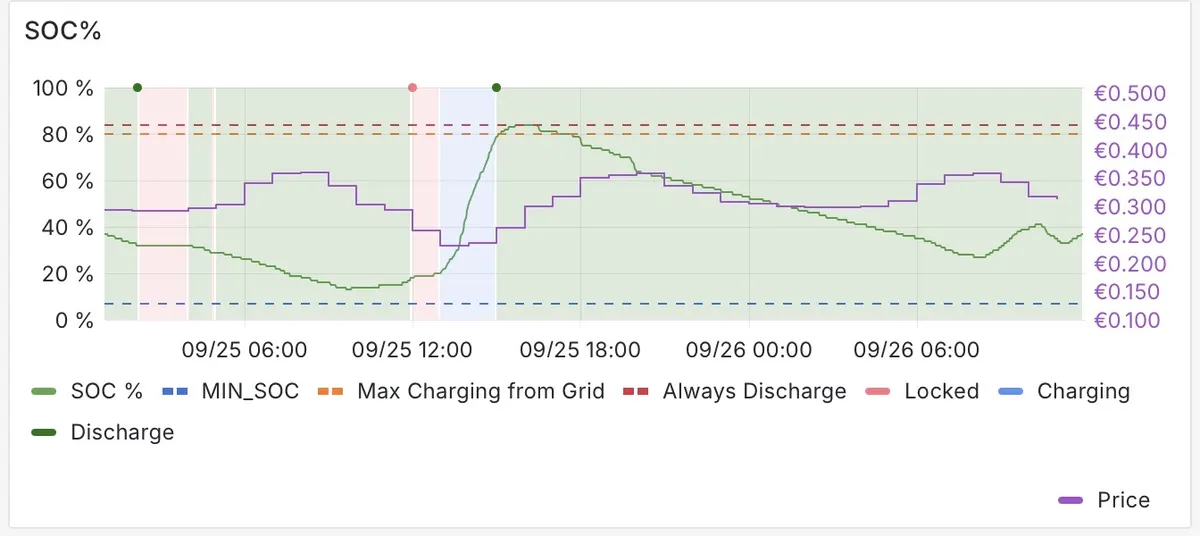
Winter: little sun, two price peaks. batcontrol charges in the cheapest night hours (only as much as needed, max. 80 %), uses the battery for the morning peak, then holds the rest for the more expensive evening.
Illustration. Bars: hourly price, coloured by the mode batcontrol chooses.
Four modes – that's all your inverter needs
Price is clearly lower than later. Charges only the missing energy, at the calculated rate, up to 80 % by default.
Stored energy will be worth more later. The house takes the cheap grid power now, solar still charges the battery.
Normal operation: the battery supplies the house, surplus solar charges it.
Peak shaving: the battery fills slowly so it can still absorb the midday solar peak instead of exporting it.
What it's worth
Estimate your savings
Rough numbers for grid charging alone. Move the sliders to match your battery and your tariff.
Below break-even: storing grid energy would lose money – batcontrol would not do this.
- Energy bought cheap
- Net gain per kWh
- Break-even spread
Formula: kWh × (expensive × efficiency − cheap). Simplified – real savings depend on your tariff, consumption and weather. Solar self-consumption and peak shaving come on top.
Same household, same battery – with and without batcontrol
batcontrol's decision logic run against a simulated household: 10 kWh battery, 90 % round-trip efficiency, 15-minute slots, one day. Baseline: the same battery in normal self-consumption mode. Cost = grid electricity bought that day.
| Scenario | Without | batcontrol | Difference |
|---|---|---|---|
| Winter daytwo price peaks, little sun | 3.00 € | 1.21 € | −60 % |
| Wrong solar forecastsun forecast, clouds from noon – batcontrol re-reads the battery every cycle and buys the missing energy as cheaply as still possible | 3.90 € | 1.87 € | −52 % |
| Two expensive peaksenergy reserved for both peaks | 3.13 € | 1.83 € | −41 % |
| Spread at the thresholda trade would not cover losses – batcontrol deliberately does nothing | 4.65 € | 4.60 € | −1 % |
Synthetic price and load curves; single days, not annual values.
Features
Small tool. Does one job well.
No cloud, no account
Runs as a Docker container, Home Assistant add-on or Python package on your own hardware. Your data stays at home.
Explains every decision
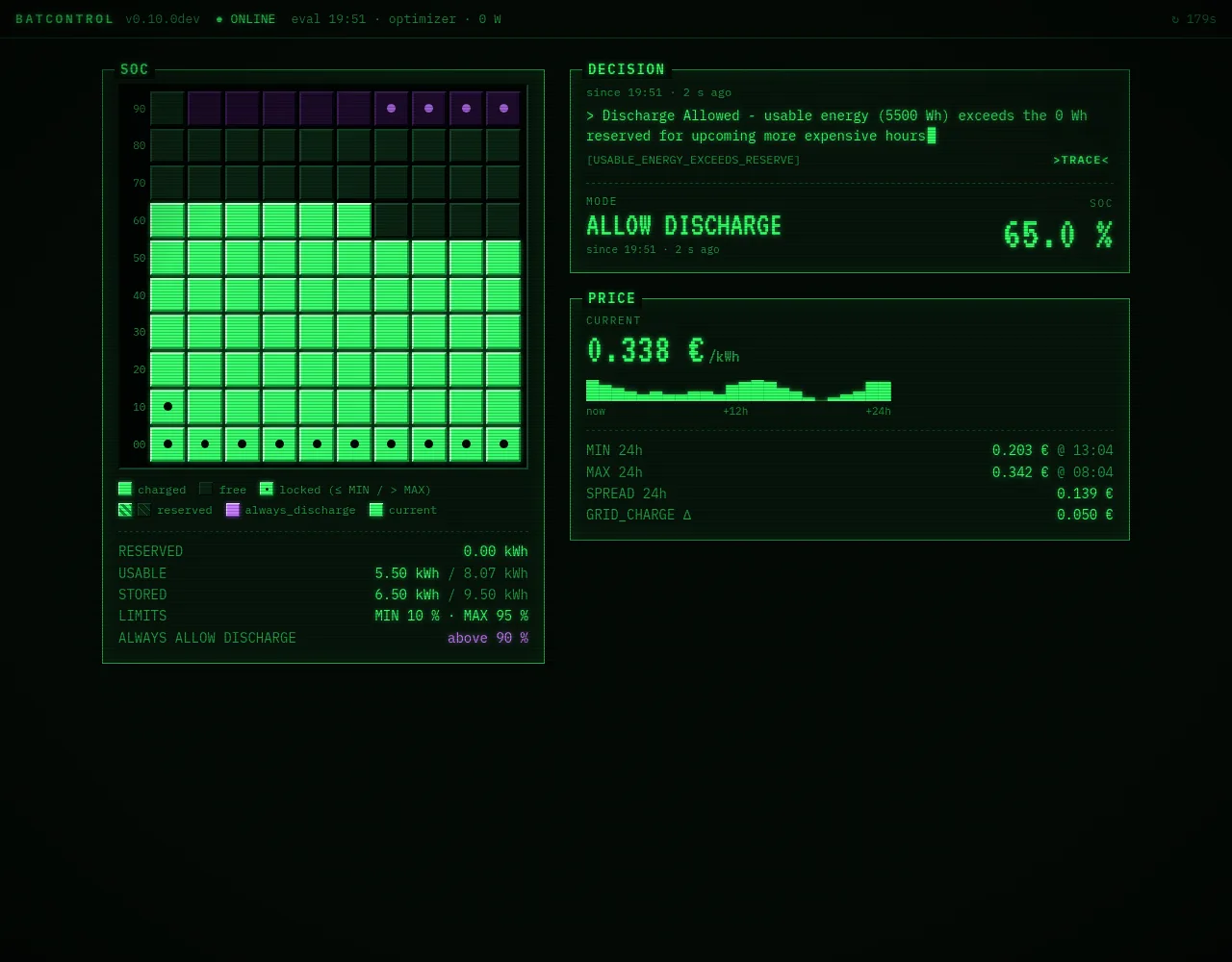
Each mode change comes with a decision trace in plain language – in the dashboard, via MQTT and the REST API.
Peak shaving
Keeps capacity free for the midday solar peak, so less PV is exported for little money.
evcc integration
Coordinates with evcc so the house battery doesn't drain into the car.
Home Assistant & MQTT
Auto-discovery, live state and runtime overrides for min/max SoC and charge rate.
Safe fallbacks
No forecast? The battery returns to normal operation. Min/max SoC limits are always respected.
§14a EnWG ready
Time-variable network fees (module 3) are combined with the energy price.
MCP server
Ask your AI assistant what the battery is doing and why – read-only, local.
MIT licensed
Free to use, inspect and improve. Developed in the open on GitHub.
Compatibility
Works with
- Fronius GEN24 · Solar API
- Fronius GEN24 · Modbus TCP
- Any system via MQTT bridge
- Tibber
- aWATTar
- evcc
- energyforecast.de
- Zone tariffs (e.g. Octopus)
- §14a network fees
- Forecast.Solar
- Solcast
- evcc
- Home Assistant Solar Forecast ML
- Load profile (CSV)
- Home Assistant history
Get started
Up and running in minutes
On first start batcontrol creates a sample configuration with a dummy inverter, so you can explore everything safely before it touches real hardware.
# config + logs on the host
docker run -d --name batcontrol \
  -p 8080:8080 \
  -v "$PWD/config:/app/config" \
  -v "$PWD/logs:/app/logs" \
mastr950/batcontrol:latestInstallation, configuration of tariff, inverter and forecasts, and how the logic works in detail.
Installation guideYou need: a PV system with a supported inverter, its login credentials, and – for price-based charging – a dynamic tariff.
FAQ
Questions
Do I need a dynamic electricity tariff?
For price-based grid charging, yes – e.g. Tibber, aWATTar, Octopus or prices via evcc. Peak shaving also works with a fixed tariff.
My inverter isn't Fronius. Can I still use it?
Yes, via the MQTT inverter interface: anything that can switch your battery between "charge", "hold" and "normal" (Home Assistant, Node-RED, ioBroker …) can be connected.
Does batcontrol send my data to a cloud?
No. It runs on your hardware and only fetches prices and forecasts from the providers you configure.
Does it sell battery power to the grid?
No. The battery only supplies your own house. batcontrol decides when it may do so and when it should charge.
Why doesn't it charge when the price is a little lower?
Every kWh stored loses some energy in the charge and discharge cycle. batcontrol only charges when the spread exceeds your minimum (default: 5 ct or 10 %, whichever is higher) – trading for pennies would cost you money.
How much will I save?
It depends on your tariff, battery size and how much sun you get. Most of the gain is in autumn and winter. Try the calculator.
Is it safe?
batcontrol respects your min/max state of charge and falls back to normal operation when forecasts are missing. It is community software that controls real hardware and comes without warranty – start with the dummy inverter.
Can I ask an AI about batcontrol?
Yes. The documentation is available for language models as llms.txt and llms-full.txt, and batcontrol itself can expose a read-only MCP server.
Saving money? Share a little.
batcontrol is built by volunteers in their spare time. Sponsoring pays for test hardware and keeps development going. Code, documentation and bug reports help just as much.